
5 August 2026
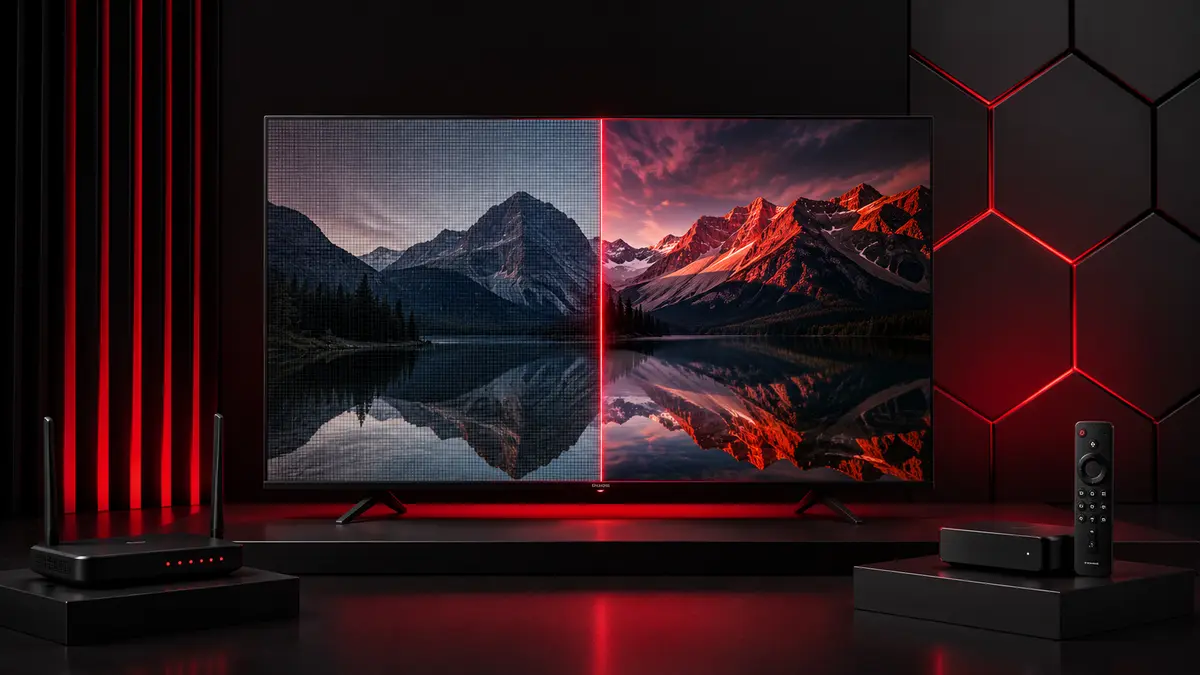
4K gives you more pixels than HD, but more pixels do not automatically mean a better streaming experience.
Your internet connection, screen size, viewing distance, device, source quality, bitrate and compression all affect what you actually see. A stable Full HD stream can sometimes look better than a poor-quality or constantly buffering 4K stream.
So, should you always choose 4K when it is available? Not necessarily.
Here's what actually matters when comparing HD, Full HD and 4K streaming.
Is 4K Better Than HD for Streaming?
4K can deliver a sharper and more detailed picture than HD or Full HD, especially on larger compatible screens. However, it requires more bandwidth and suitable hardware.
If your internet connection, streaming device or source cannot handle 4K reliably, Full HD may give you a better overall viewing experience.
The best streaming quality is not simply the highest resolution available. It is the highest quality your complete setup can play consistently.
What Is the Difference Between HD, Full HD and 4K?
The main technical difference is resolution.
Resolution tells you how many pixels make up the image on your screen. More pixels allow more fine detail to be displayed, provided the source and display can make use of them.
What Is HD?
HD usually refers to a resolution of 1280 × 720 pixels, commonly known as 720p.
It requires less bandwidth than Full HD or 4K, making it useful when internet speed or data usage is limited.
On smaller screens, 720p can still look perfectly acceptable, particularly when you are viewing from a normal distance.
What Is Full HD?
Full HD has a resolution of 1920 × 1080 pixels and is usually called 1080p.
It contains considerably more visual information than 720p and remains a strong choice for everyday streaming.
For many viewers, Full HD provides an excellent balance between picture quality, bandwidth requirements and reliable playback.
What Is 4K?
Consumer 4K, also called 4K UHD or 2160p, usually has a resolution of 3840 × 2160 pixels.
That gives it four times the total number of pixels found in Full HD.
The extra resolution can produce finer details and sharper images, particularly on larger screens. But you need a suitable display, streaming device, source and internet connection to take full advantage of it.
HD vs Full HD vs 4K: Key Differences
Feature | HD | Full HD | 4K UHD |
Resolution | 1280 × 720 | 1920 × 1080 | 3840 × 2160 |
Common name | 720p | 1080p | 2160p / 4K |
Picture detail | Good | Very good | Highest |
Bandwidth demand | Lower | Moderate | Higher |
Data usage | Lower | Moderate | Higher |
Best suited to | Smaller screens and limited bandwidth | Most everyday viewing | Larger compatible displays and high-quality sources |
The numbers make 4K look like the obvious winner. In terms of resolution alone, it is.
In practice, there is more to picture quality than pixel count.
Does 4K Actually Look Better Than HD?
Yes, 4K can look noticeably sharper than HD or Full HD, but the difference depends on your screen, viewing distance and the quality of the video source.
A high-quality 4K stream on a good 4K television can look excellent. Put the same content on a small screen or compress it heavily, and the improvement may be much less obvious.
Let's break down why.
Screen Size
Higher resolution becomes more useful as screen size increases.
On a large television, the additional pixels in 4K can preserve finer detail and make the picture appear sharper.
On a much smaller screen, the difference between good 1080p and 4K may be harder to notice at a normal viewing distance.
Viewing Distance
How far you sit from the screen matters too.
The further away you are, the harder it becomes to see very fine differences in resolution.
This is why two people with identical 4K TVs can have different opinions about how dramatic the improvement looks.
Source Quality
This is one of the biggest factors.
A stream being labelled 4K does not automatically make it high quality.
The original source, encoding, bitrate and amount of compression all affect the final image. A poorly encoded 4K stream can lose detail, introduce compression artefacts and look worse than a well-produced Full HD stream.
TV and Display Quality
Resolution is only one part of what makes a picture look good.
Contrast, brightness, colour reproduction, HDR performance and image processing can all affect perceived quality.
A better display showing high-quality 1080p content can therefore look more pleasing than a weaker display showing poor-quality 4K.
What Internet Speed Do You Need for HD and 4K Streaming?
There is no single internet speed that applies to every streaming service because bitrate, compression, codec and frame rate vary.
However, major streaming platforms provide useful reference points. Netflix recommends at least 3 Mbps for 720p HD, 5 Mbps for 1080p Full HD and 15 Mbps for 4K UHD. YouTube gives a broader recommendation of about 20 Mbps sustained speed for 4K UHD playback.
What this really means is that 4K requires considerably more bandwidth than HD or Full HD.
Quality | Useful reference point |
HD 720p | Around 3 Mbps or higher |
Full HD 1080p | Around 5 Mbps or higher |
4K UHD | Around 15–20 Mbps or higher |
These are reference points, not guarantees.
Your streaming device needs enough usable bandwidth at the time you are watching. Having a broadband package advertised at a particular speed does not mean every device in your home receives that speed consistently.
That distinction matters.
Why Internet Speed Isn't the Whole Story
You could have a fast broadband package and still experience buffering.
The headline speed from your internet provider is only one part of the connection between the video source and your television.
Connection Stability
Streaming needs data to arrive consistently.
A connection that repeatedly drops or fluctuates can cause more problems than a slightly slower but stable connection.
This becomes more noticeable with higher-quality streams because more data needs to arrive continuously.
Wi-Fi Signal Strength
Wi-Fi performance can change depending on where your device is located.
Walls, floors, distance from the router and wireless interference can weaken the signal.
Your broadband connection might be fast at the router while the streaming device in another room receives a much weaker connection.
Other Devices Using Your Network
Available bandwidth is shared.
If someone is downloading a large game while another person is on a video call and two TVs are streaming, each activity competes for network capacity.
This can become particularly noticeable with multiple 4K streams.
Network Congestion
Internet performance can vary throughout the day.
Your home network can become busy, and external network conditions can also affect the connection.
This is one reason a stream may work perfectly at one time but struggle later.
Device Performance
The internet connection is not always the problem.
Older streaming devices can struggle with demanding video formats, apps or high-resolution playback.
If the same connection plays 4K perfectly on one device but struggles on another, the device or app deserves closer attention.
How Much Data Does HD vs 4K Streaming Use?
4K generally uses considerably more data than HD because more video information needs to be transmitted.
There is no universal amount of data used per hour. Actual consumption depends on factors including:
Resolution
Bitrate
Video codec
Compression
Frame rate
Streaming platform
Adaptive quality settings
As a general rule:
HD uses less data.
Full HD uses more.
4K can use substantially more.
This matters if your broadband plan has a data limit or you stream using mobile data or a hotspot.
If you have a limited allowance, automatically selecting the highest available resolution may consume data unnecessarily.
What Do You Need to Stream in 4K?
Getting genuine 4K playback requires more than owning a 4K television.
Every important part of the playback chain needs to be capable of handling it.
A 4K Display
Your TV or monitor needs a native 4K resolution to display the full 3840 × 2160 image.
A Full HD display cannot show native 4K resolution, even if the source itself is available in 4K.
A 4K-Capable Streaming Device
If you use a separate streaming device, it needs to support 4K output.
The television being 4K-capable is not enough if the device sending the video to it is limited to 1080p.
A Suitable Internet Connection
You need enough bandwidth to receive the 4K stream consistently.
More importantly, that bandwidth needs to reach the streaming device reliably.
A Genuine 4K Source
This is easy to overlook.
Your television cannot display detail that does not exist in the source.
A 4K TV can process and upscale lower-resolution video, but upscaling is not the same as receiving a high-quality native 4K source.
Correct Device and Display Settings
Your device also needs to output the correct resolution.
If a 4K streaming device is configured to output 1080p, your television will not receive a 4K signal from it.
Check your device's video or display settings if you expect 4K but are not getting it.
Native 4K vs Upscaled 4K: What's the Difference?
Native and upscaled 4K are not the same thing.
Native 4K
Native 4K content contains image information at or around 4K resolution from the source.
When the source, encoding and bitrate are good, this can produce noticeably finer detail on a compatible display.
Upscaled 4K
Upscaling takes lower-resolution video and processes it so that it fills a higher-resolution display.
Modern televisions can be quite good at this. They analyse the lower-resolution image and process it to look better on a 4K screen.
But here's the thing: upscaling cannot recover genuine detail that was never present in the original source.
It can improve presentation, but it does not turn a 1080p source into true native 4K.
Why Does 4K Streaming Sometimes Buffer?
4K streams usually require more bandwidth than HD streams. If the required data cannot reach your device consistently, playback may pause while more video is loaded.
Common causes include:
Weak Wi-Fi
Insufficient available bandwidth
Other devices using the network
Network congestion
Device limitations
App or player problems
High source bitrate
Temporary connection instability
If 4K keeps buffering, troubleshoot in a sensible order.
First, check your internet connection. Then reduce other heavy network activity and restart your router and streaming device.
If you use Wi-Fi, improve the signal or test Ethernet where practical.
You can also temporarily switch to Full HD.
If 1080p plays smoothly while 4K repeatedly buffers, that tells you something useful. Your current setup may not be delivering enough consistent bandwidth for that particular 4K stream.
Is Ethernet Better Than Wi-Fi for 4K Streaming?
Ethernet is generally more consistent than Wi-Fi, but good Wi-Fi can handle 4K perfectly well.
A wired Ethernet connection is less affected by walls, distance, wireless interference and competing Wi-Fi signals.
It can be particularly useful if:
4K regularly buffers
Your streaming device is far from the router
Your Wi-Fi environment is busy
Several devices stream simultaneously
Your wireless connection frequently drops
That does not mean everyone should run an Ethernet cable to their TV.
If your Wi-Fi connection is strong and 4K playback is already stable, changing to Ethernet may offer little practical benefit.
Why Does a 4K Stream Sometimes Look Worse Than Full HD?
Because resolution is not the same as overall picture quality.
A 4K video can contain more pixels while still suffering from poor compression, low bitrate or a weak source.
Heavy Compression
Video files are compressed to make them practical to transmit over the internet.
Too much compression can remove fine detail and introduce visible artefacts.
That can leave you with a technically 4K image that does not look particularly impressive.
Low Bitrate
Bitrate is the amount of video data transmitted over a given period.
Higher resolution generally needs enough bitrate to preserve the additional detail.
If a 4K video is compressed into an inadequate bitrate, some of the potential benefit of its higher resolution can be lost.
Poor Original Source
You cannot create genuine source detail simply by increasing the output resolution.
If the original recording or master is poor, displaying it at 4K will not magically make every detail sharp.
Upscaling
Some content displayed at 4K began at a lower resolution and has been upscaled.
Good upscaling can improve presentation, but the result is not identical to a high-quality native 4K source.
Network Problems
Some streaming systems adjust video quality when connection conditions change.
If your network struggles, the platform may reduce quality to keep playback running.
That can explain why a stream labelled as 4K does not always look consistently sharp.
Resolution vs Bitrate: Which Matters More?
Neither should be judged completely on its own.
Resolution tells you how many pixels make up the image. Bitrate tells you how much video data is being used to represent that image over time.
Imagine having millions of pixels but not enough information to describe them cleanly. Compression has to work harder, and detail can be lost.
This is why a well-encoded Full HD stream at an appropriate bitrate can look excellent, while a heavily compressed 4K stream can look disappointing.
Resolution tells you the potential level of detail.
Bitrate and encoding help determine how much of that detail survives into the image you actually watch.
Does HDR Matter More Than 4K?
HDR and 4K affect different aspects of picture quality.
4K refers primarily to resolution. HDR refers to the range of brightness, contrast and colour information that compatible content and displays can reproduce.
A video can therefore be 4K and HDR at the same time.
Whether HDR makes a bigger visual difference than the jump from Full HD to 4K depends on the content, display and viewing conditions.
The useful point is simpler: do not judge picture quality by resolution alone.
A good image is the result of several factors working together.
Should You Choose HD, Full HD or 4K?
Choose based on your actual setup rather than automatically selecting the largest number.
Choose HD When
HD makes sense when bandwidth or data usage is limited.
It can also be perfectly adequate on smaller screens where the additional detail of higher resolutions is less noticeable.
Choose Full HD When
Full HD is a strong choice for everyday streaming.
It provides good picture detail without the higher bandwidth demands of 4K and works particularly well with 1080p displays.
If Full HD plays smoothly while 4K struggles, sticking with 1080p is usually the sensible choice.
Choose 4K When
Choose 4K when you have:
A compatible 4K display
A 4K-capable streaming device
A genuine 4K source
Enough consistent bandwidth
A screen and viewing setup where the extra detail is worthwhile
The practical rule is simple:
Choose the highest quality your complete setup can play consistently, not simply the highest resolution available in the menu.
Stable Full HD is better than 4K that stops every few minutes to buffer.
How to Improve Streaming Quality Without Upgrading Your Internet
Before paying for a faster broadband package, check whether your existing connection is being used effectively.
Move Closer to the Router
If you use Wi-Fi, distance matters.
Moving a streaming device closer to the router can improve signal strength and consistency.
Use Ethernet Where Practical
If your device supports Ethernet, testing a wired connection can help determine whether Wi-Fi is causing the problem.
Reduce Competing Network Activity
Pause large downloads, cloud backups and other high-bandwidth activities while testing your stream.
If quality improves, network competition may have been the issue.
Restart Your Router and Streaming Device
It sounds basic because it is.
But restarting both devices can resolve temporary connection, memory and app problems.
Keep Your Streaming App Updated
Outdated apps can cause compatibility and performance issues.
Check for updates if playback quality suddenly changes without an obvious reason.
Check Your Video Output Settings
Make sure your streaming device is configured to output the resolution you expect.
A 4K-capable device set to 1080p will continue sending a 1080p signal until you change the appropriate setting.
Use Full HD When 4K Is Unstable
There is nothing wrong with dropping to 1080p when your connection cannot maintain 4K.
In fact, the viewing experience may improve because you spend more time watching and less time waiting for the stream to buffer.
Common Myths About HD and 4K Streaming
A few assumptions about 4K sound reasonable but do not hold up in every situation.
Myth: 4K Always Looks Better
Reality: 4K has more pixels, but source quality, bitrate, compression, display quality and viewing distance all affect what you see.
Myth: A 4K TV Makes Everything Native 4K
Reality: A 4K television can upscale lower-resolution content, but upscaling does not create genuine native 4K detail.
Myth: Fast Broadband Guarantees Buffer-Free 4K
Reality: Wi-Fi quality, network congestion, device performance and source delivery can still cause buffering.
Myth: More Pixels Automatically Mean Better Picture Quality
Reality: Resolution matters, but bitrate, compression, HDR, display performance and source quality matter too.
Ready to Put Your Streaming Setup to Use?
Once your display, device and internet connection are ready, the next step is making sure your streaming setup suits the quality you want to watch.
Explore IPTV subscription options to find the plan that fits your setup.
HD vs 4K Streaming: Final Takeaway
4K can deliver a sharper, more detailed picture than HD or Full HD. But resolution is only one part of streaming quality.
Source quality matters. Bitrate matters. Your display matters. Your streaming device matters. And the stability of the connection reaching that device matters.
If your setup handles good-quality 4K consistently, use it when a genuine 4K source is available.
If it does not, Full HD remains an excellent option.
The goal is not to chase the biggest resolution number. Choose the quality that looks good and plays reliably on the equipment and connection you actually have.
Frequently Asked Questions
Is 4K better than Full HD?
4K has four times as many pixels as Full HD and can look sharper on compatible displays. The improvement depends on screen size, viewing distance, source quality and bitrate.
What resolution is Full HD?
Full HD is 1920 × 1080 pixels, commonly known as 1080p.
What resolution is 4K?
Consumer 4K UHD is typically 3840 × 2160 pixels, also known as 2160p.
How fast should my internet be for 4K streaming?
Requirements vary by service. As reference points, Netflix recommends at least 15 Mbps for 4K, while YouTube recommends around 20 Mbps sustained speed for 4K UHD.
Does 4K use more data than HD?
Yes. 4K generally uses considerably more data because it carries more video information, although actual usage depends on bitrate, compression and codec.
Do I need a 4K TV to watch 4K content?
You need a 4K display to see the full native 4K resolution. A 1080p screen cannot display all the pixels contained in a 4K image.
Can Wi-Fi handle 4K streaming?
Yes. A strong and stable Wi-Fi connection can handle 4K streaming. Performance depends on signal strength, network traffic, router capability and interference.
Is Ethernet better for 4K?
Ethernet is generally more consistent because it avoids many wireless interference issues. Good Wi-Fi can still provide excellent 4K playback.
Why does 4K keep buffering?
Common causes include weak Wi-Fi, insufficient available bandwidth, network congestion, competing devices and device or app limitations.
Why does some 1080p content look better than 4K?
A high-quality 1080p stream can look better than poorly encoded 4K. Resolution alone does not determine picture quality.
Is UHD the same as 4K?
For consumer televisions and streaming, the terms are commonly used interchangeably. Consumer 4K UHD typically means 3840 × 2160 pixels.
Does a 4K TV make HD content 4K?
A 4K TV can upscale HD content to fit its display, but it cannot create the same genuine detail found in a native 4K source.